






Smart Garage Technology
myQ Shows Your Garage Door as Offline: What to Check Before Calling for Help
Oct
Archive edition: 5 July 2026 | First published: 14 October 2026 | Reviewed and updated: 14 October 2026
When the myQ app shows a garage door as offline, it is tempting to start changing every setting you can find. That approach can make a simple connection issue harder to trace. Smart access has several links: a compatible Merlin opener, the correct myQ equipment, power, a home internet connection and the app account. A problem in one link does not necessarily mean anything is wrong with the door itself.
Start with the app message and keep the garage door safe. Do not try to make a door move from the app while people, pets or vehicles are in the opening. Do not alter opener force settings, safety beams, door hardware or wiring to solve a connectivity problem. This is an owner-level check of the network and gateway, not a repair guide.
First, separate the door from the connection
Ask a simple question: does the door operate normally using an authorised local control? If it does, that may suggest the moving door and the app connection are different problems, but it is not a diagnosis. If the door itself is moving unpredictably, stopping, reversing unexpectedly or showing visible damage, stop using it and arrange a garage-door assessment. The app can wait.
If the door is closed and safe, note what the app says. “Offline”, “unavailable” and a missing device can lead to different support paths. A screenshot of the message, together with the model number of the opener and any gateway, gives one of our technicians useful information without requiring you to make technical changes.
Confirm that the equipment is eligible
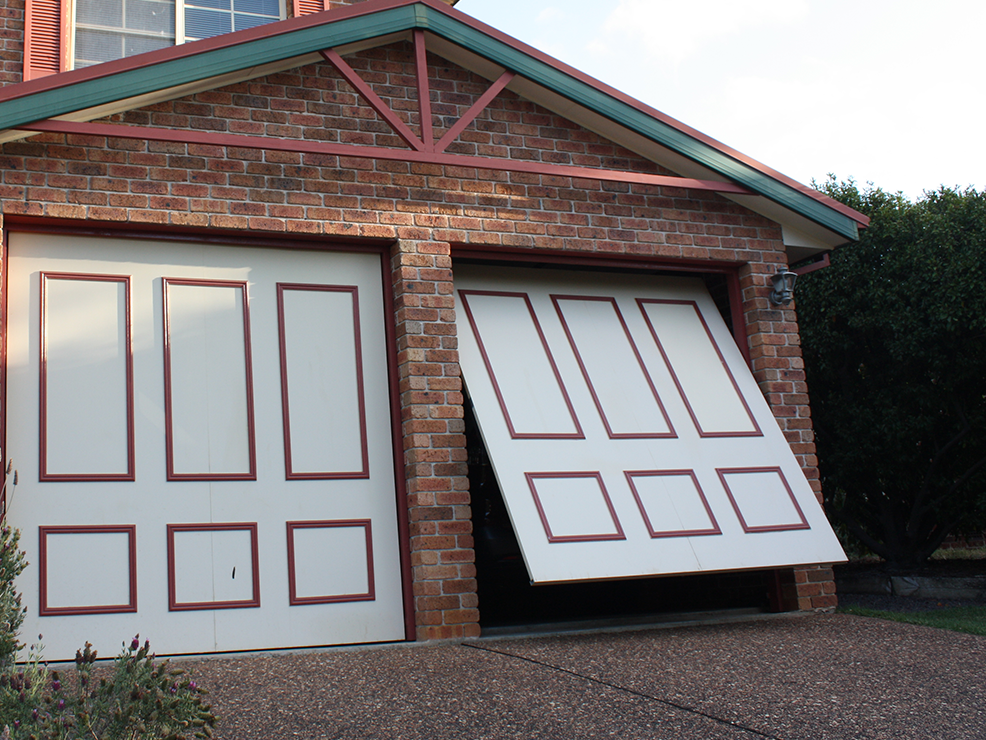
myQ is not an automatic feature of every garage-door installation. Merlin’s current M828AU myQ Gateway page asks owners to check compatibility with their opener and says the gateway is not compatible with tilt garage doors. Its page also notes that Safety IR Beams are separately required for full functionality. The exact answer depends on the opener, door type and equipment already installed.
Before troubleshooting, identify the model label on the opener and the model of any myQ gateway. Avoid assuming that a similarly named device, an older accessory or a door from the same household will work in the same way. Merlin’s homeowner support page is the right place to find current compatibility and support material, or you can ask a dealer to check it.
Look at gateway status before changing anything
For an M828AU Internet Gateway, Merlin publishes a useful LED-status starting point. No LED can indicate that the unit is not receiving power. A flashing green LED means the gateway has an IP address but is not accessing the internet, while a solid green LED means it is online and connected. Merlin also describes yellow as add-device mode and blue as an indication that at least one device has been programmed to the gateway.
Those colours are clues, not a reason to reset the opener or reprogram the door. Note the colour, whether it is steady or flashing, and when the issue began. If the LED behaviour does not match Merlin’s current guidance, do not guess. Product revisions and different accessories can have different indicators.
Check ordinary power and internet conditions
Check whether the home internet connection is working on another device. A wider outage, a router that is offline or a recent network change can explain why a gateway cannot reach the internet. Check that the gateway’s power connection and Ethernet cable appear secure without pulling on the door equipment or opening electrical housings.
Merlin’s myQ guidance suggests checking the router and modem, checking the Ethernet cable and confirming power at the outlet when an Internet Gateway will not connect. If you are comfortable with normal home-network equipment, restarting the router and modem is listed in Merlin’s guidance. It is separate from resetting the garage-door opener. Do not repeatedly switch the opener off and on or use a connection issue as a reason to change door settings.
Understand the difference between Wi-Fi and gateway-to-opener communication
Smart garage access can feel like one Wi-Fi problem, but the gateway’s communication with the opener has its own conditions. Merlin says the performance of the M828AU Gateway depends on radio-frequency communication, rather than Wi-Fi alone. Distance, walls, metal surfaces and other interference can affect reliability. That means a phone can have a strong Wi-Fi signal while the smart-access link still needs assessment from Eastern Garage Doors.
This is why moving equipment at random is rarely a sound fix. The right placement depends on the particular opener, gateway, power and network arrangement. If performance has always been intermittent, or it changed after alterations around the garage, record that history for the installer rather than attempting to relocate or rewire the system yourself.
Check the app account without sharing it
Make sure you are signed in to the expected myQ account and that the device is still displayed there. Check for app or phone operating-system updates through the normal official app store. Merlin notes that older mobile operating systems can become unsupported as app versions change. Do not share your password, verification codes or primary app credentials with a caller or an unverified service request.
If several household members use smart access, one person should keep a simple record of who has access. Merlin’s myQ information describes guest profiles for trusted users on applicable products. Treat access as you would a house key: remove it when it is no longer needed and use the official account controls rather than a shared login.
When to call for help
Call for assistance when the door is not operating safely, the gateway has no expected status after ordinary network checks, compatibility is unclear or the issue returns after the home internet is otherwise working. Have the opener model, gateway model, LED colour, app message and a brief timeline ready.
Eastern Garage Doors can help Melbourne homeowners assess the smart-access equipment around a garage door. Use our contact page to get in touch. Keeping the enquiry factual helps identify whether the next step is network support, compatibility advice or a garage-door service visit.
For help with your garage door or gate in Melbourne’s Eastern Suburbs, contact Eastern Garage Doors.