






Garage Door Openers & Remotes
How to Identify the Right Merlin Remote for Your Opener

Mar
Reviewed and updated: 14 October 2026
The relevant compatibility information starts with the Merlin motor model. It is usually found on the motor unit. Photograph the label from a safe position if possible; do not climb on shelving, remove covers or disturb electrical wiring to reach it. A remote’s shape or colour is not a reliable identifier.
Write down the model exactly as shown, including letters and numbers. If the label cannot be read safely, do not guess from the door, a property listing or a neighbour’s equipment. A previous owner may have changed the opener or supplied a different handset over time. The current motor model is the detail that connects the remote decision to Merlin’s current compatibility information.
Separate the reason for the enquiry
A missing remote, flat battery, physical damage and a request for extra access are different situations. Note whether another known authorised control still operates the door normally. That distinction helps a dealer identify whether the conversation is about an access device or whether the door and opener need separate attention.
For example, a household that needs a second authorised control has a purchasing and access-planning question. A household with a lost device has an access-management question as well. A handset that is intermittently responsive could be a battery or device question, but it should not be used to explain away a door that is also noisy, uneven or visibly damaged. Describing the actual scenario prevents a remote order from becoming a guess at a broader fault.
Use model-based compatibility
Merlin homeowner support includes a remote finder based on the motor model. Use that current material and the applicable manual before buying anything. It is safer than relying on an old product listing or a visual match, especially where a motor or remote may have been replaced since the original installation.
The Merlin support page currently lists compatible remote options after the motor model is entered. It also recommends genuine Merlin remotes and says Merlin does not test third-party remotes or verify their compatibility with genuine Merlin openers. That is the reason this guide stays focused on Merlin equipment: the supported selection route is a model-specific Merlin decision, not a promise based on a “universal” label.
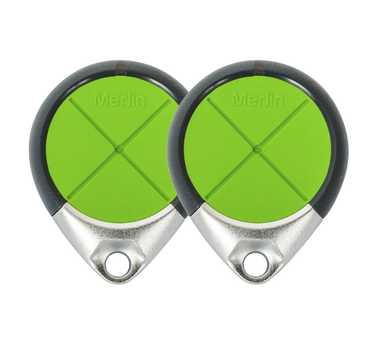
Once the finder identifies compatible choices, the form factor can be considered. A vehicle user may prefer the documented compatible option that suits vehicle access, while another household may need a different authorised control. Suitability still begins with the confirmed motor. It does not begin with the number of buttons or an assumption that a remote advertised for a different Merlin generation will work.
Do not turn pairing into a guessing game
Programming sequences vary between products. Do not press hidden buttons, copy a random video or reset an unidentified motor to see what happens. Confirm compatibility first, then follow the exact manual or ask a dealer. A wrong sequence can change the access arrangement without solving the original problem.
Keep the compatibility decision and the programming decision separate. The first asks whether the selected remote is documented for the motor. The second asks what the current manual says for that exact combination. This order matters because a generic sequence may be intended for another remote family. If the documentation is unclear, pause rather than experimenting on equipment that is presently serving the household.
It is also sensible to make any access change when the doorway is clear and the door is operating normally. Do not use remote programming as a way to repeatedly test a door with a new mechanical symptom. A control can send a command; it cannot establish why the door failed to complete a normal movement.
Treat the remote as a controlled key
Decide who needs a handset and keep a basic record of issued devices. Do not leave a spare visible in an unattended vehicle. When someone no longer requires access, use the appropriate model-specific support path rather than sharing a code or account detail more widely.
Merlin’s homeowner support explains that lost or stolen remote management can involve erasing programmed transmitter codes and then restoring authorised devices using the manual’s model-specific instructions. That is a material access change, not an ordinary replacement purchase. Use the current manual or ask support before proceeding, because the response can affect the other remotes already used by the household.
Keep battery questions limited to the device
If product guidance supports a battery check, use the correct information for that remote. Do not clean internal electronics, bend contacts or use improvised tools. A weak remote battery cannot explain a door that also moves unevenly, makes a new sound or shows visible mechanical damage.
The manual is the appropriate source for the remote’s battery type and casing guidance. If the correct battery does not resolve a simple handset issue, use the model details to seek advice rather than opening the motor, changing wiring or resetting the opener.
Know when the remote is not the issue
A new compatible remote cannot repair unexpected reversal, uneven travel, a loose cable or a damaged door. Stop operating the door and request an assessment if those signs appear. Repeatedly testing it with different controls is not a safe way to narrow down the cause.
Prepare the details that support can use
Provide the motor model, door type, remote situation and a safe photo of the existing handset if available. This is enough to begin a meaningful compatibility conversation without relying on a universal button sequence.
Eastern Garage Doors can help Melbourne homeowners discuss their Merlin motor model, door type and access question. Use our contact page to get in touch.