






Garage Door Openers & Remotes
Wireless Garage Door Keypads: Who They Suit and What to Check
Aug
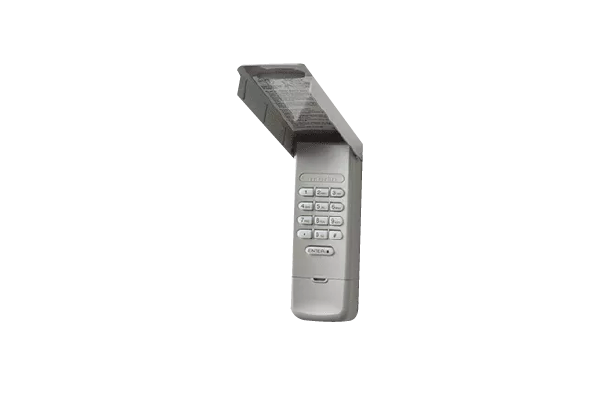
A wireless keypad sits on the outside of the garage, usually beside the door, and opens it when someone types in the right PIN. No remote, no key. Whether it earns its place usually comes down to who is coming and going, and whether the keypad actually suits the opener it’s meant to work with.
Who a keypad tends to suit
The households that get the most out of a keypad are the ones where a remote is often in the wrong place. Kids walking home from school are the classic example. Hand a twelve-year-old a remote that lives in their school bag and there’s a fair chance it gets lost. A PIN they’ve memorised can’t fall out of a pocket.
Walkers, runners and cyclists like them too. If you head out early for a lap of the streets around Doncaster, or a ride from home in Croydon, carrying a remote or a bunch of keys is a nuisance. A keypad lets you come back in through the garage with nothing in your hands.
Then there are the occasional visitors: a cleaner, a dog walker, a relative watering the garden while you’re away, a tradie who needs the workbench. Giving each of them a remote means more remotes to chase up later. A PIN can be changed, and some keypads let you set a temporary PIN for visitors.
A keypad suits some homes less. If the garage is the main barrier between the street and the inside of your house, think carefully about who gets the code and how often you’ll be willing to change it. And if everyone in the house is already comfortable using myQ on their phone, a keypad may not add much.
Check your opener before anything else
A keypad isn’t a universal add-on. It has to talk to your opener in a way the opener understands, and that depends on the make, the model and the coding system it uses. Merlin openers have used more than one coding system over the years, which is why our product pages name the specific opener models each accessory is listed for.
On our remotes and accessories page you’ll find two Merlin wireless security keypads, the E840M and the E850M. Each product page lists openers it’s matched to, though the wording differs a little between the two keypads and between sections of the same page, so check with us for your exact model before you order. Before you order, find the model number on your opener. Look for it on the label or in the manual, without opening anything. Compare it against that list. If your opener isn’t listed, or the label is faded or missing, send us a photo of what you can see and we’ll help work out what suits.
It’s also worth knowing how codes are managed on the model you’re considering. The E850M product page describes permanent and temporary PINs, a master code for managing them, and says it controls one gate or garage door opener. The E840M instructions on our Merlin remote programming page describe a four-digit PIN plus a temporary PIN that can be set for a number of hours or a number of door openings. Features differ between models, so ask us about the exact keypad rather than assuming one works like the other.
Where it goes matters
The E840M instructions on our site say to install the keypad within sight of the garage door, out of reach of children at a minimum height of 1.5 metres, and away from all moving parts of the door. That’s good sense for any keypad. Whoever uses it should be able to watch the whole door until it’s fully closed.
A few other practical questions about the spot you have in mind:
- Is it sheltered, or will it cop the full force of rain and afternoon sun? Check the product details for what the keypad is designed to handle.
- Can it be reached from where you’d normally stand, without stepping into the path of the door or a reversing car?
- Is it right out in the open from the street? Some people prefer it a little less obvious, as long as it still has a clear view of the door.
Wireless keypads run on a battery, so there’s no cable to run out to the wall. Programming and testing involve the opener, so have our team set up and test the keypad as part of a service visit.
Living with a keypad day to day
A keypad is only as secure as the habits around it. Pick a PIN that isn’t your house number, a birth year or 1234. Change it when someone moves out, when a tradie’s job wraps up, or when you’ve honestly lost track of who knows it. Where the keypad offers temporary codes, use those for visitors instead of handing out your main one.
Batteries do go flat eventually. The E840M instructions say to replace the battery when the keypad becomes dim or doesn’t light up after a button is pressed. Don’t let it be your only way in. Keep a remote, or a key to another door, somewhere sensible.
If the keypad stops opening the door but your remotes still work, a flat battery or a programming issue with the keypad is worth asking about, though a symptom on its own doesn’t prove the cause. If nothing will open the door, or it moves in a way that doesn’t look right, stop using it and call us rather than pressing buttons over and over. Leave the opener’s own settings alone. Our troubleshooting page covers a few safe first checks.
If you’d like help choosing a keypad for your Merlin opener, or would rather have one programmed and tested for you, get in touch with Eastern Garage Doors and send through your opener’s model number.
myQ is available only with compatible Merlin openers on eligible roller and sectional garage doors, not tilt doors. Safety IR Beams and the specified connectivity equipment are required for smartphone operation. Ask our team to confirm your exact setup. The myQ Connectivity Bundle and battery backup are separate products.
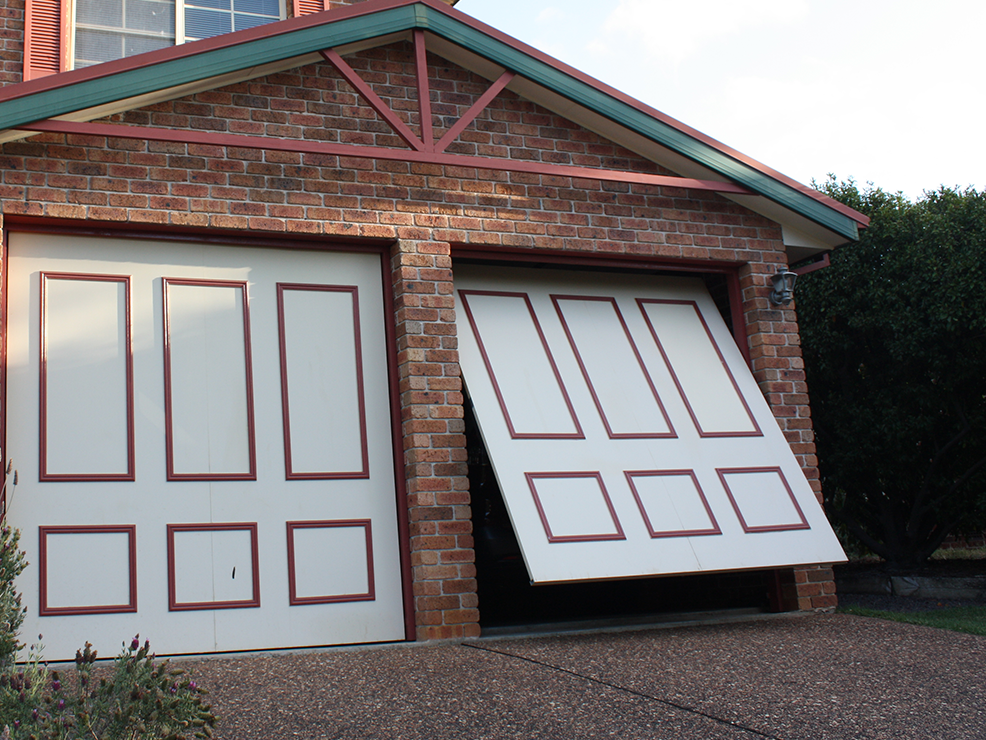
For garage doors, the wireless accessory options discussed here are for compatible roller and sectional doors, not tilt doors. Gate compatibility must be checked separately against the exact gate opener and accessory.
For help with your garage door or gate in Melbourne’s Eastern Suburbs, contact Eastern Garage Doors.