






Garage Door Openers & Remotes
Finding the Right Merlin Remote Instructions for Your Opener
Aug
Reviewed and updated: 14 October 2026
Search “how to program a Merlin remote” and you’ll find plenty of instructions, but a sequence that works for one opener can be wrong for another. The quickest safe way is to identify your exact opener and remote first, then use the current instructions for that pair.
Our Merlin remote programming page has step-by-step instructions for a number of Merlin remotes and keypads. This article is the step before it: how to work out what you’ve got, so you follow the right instructions on that page or in your manual.
Start with the opener, not the remote
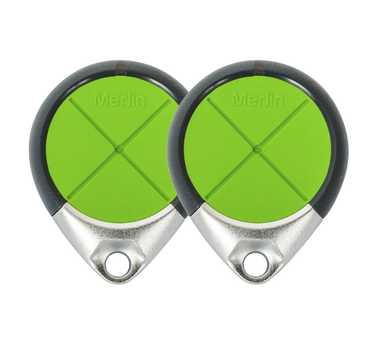
A remote might have one, two or four buttons, but the button count doesn’t tell you whether it will work with your door. The opener is what matters. Check the remote and manual for the opener’s model name. If you can read a label from the ground, take a clear photo. If you can’t, ask us.
Don’t remove motor covers, and don’t stand on chairs, bins or other unstable things to reach a label. If you can’t read the model safely, a photo of the opener from the floor, a photo of the remote and a note about which door or gate it runs are usually enough to start a conversation.
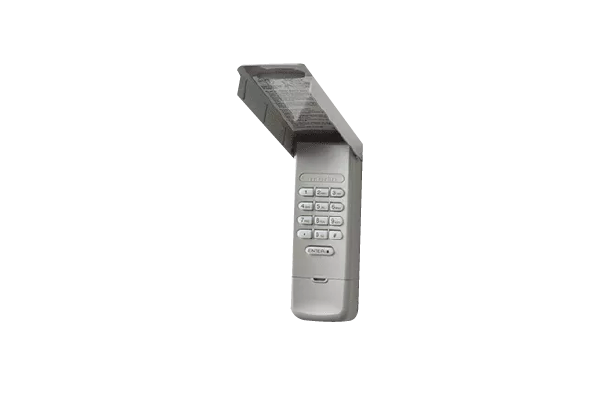
While you’re at it, make a quick list of everything that operates the door now. That could be handheld remotes, a wall button, a keypad or myQ on your phone. Note whether each one works reliably, and if you have more than one door or a gate, label them. This record makes it much easier to explain what’s changed if something stops working, and it helps you avoid pairing a remote to the wrong door.
Identify the remote and how it’s coded
Next, look at the remote itself. Check the remote and the manual for its model name. Write it down along with the number of buttons and which buttons are already in use.
The reason this matters is coding. Merlin openers and remotes don’t all use the same code system. Programming requirements vary by the exact Merlin opener and remote. A sequence that applies to one compatible pair may not apply to another, so use the current manual or Merlin support information for the model you have.
That’s why a single tutorial covering several remotes can cause problems. It treats different products as if they all work the same way. If you have older equipment, or you’re not sure which code your opener uses, check the opener’s manual or ask us before you start pressing buttons. The Merlin accessory compatibility page is also worth a look if you’re mixing older and newer equipment.
If you’re thinking of buying a new remote rather than pairing one you already have, match it to the opener, not to the look of your old remote. Have a look at our garage door remotes and accessories or send us the opener details first.
Find the right instructions for that pair
Once you know the opener and the remote, you can find instructions that actually apply. Start with the opener’s operating manual. Our programming page notes that the wireless programming section of your opener’s manual is the reference for programming a remote in the usual way. Check that the manual’s model name matches the one you noted, because instructions for a similar name or an older receiver may not apply.
If you don’t have the manual, Merlin’s homeowner support page is a sensible place to look for official support information. Then use the matching section on our programming page if your remote is listed there.
Most pairing involves the LEARN button on the opener. Where that button sits varies between models, so check the manual. If reaching it means climbing somewhere unsafe, stop and ask for help instead.
If a remote has stopped working and you don’t know its history, resist the urge to erase the opener’s memory and start fresh. You can remove access for every working remote and keypad without fixing the original problem. Keep the existing setup until you’ve identified the model and the right instructions.
Keep access secure, and know when to stop
Programming a remote changes who can open your garage, so treat a remote like a house key. Keep track of who has one, remove access when a remote is lost or no longer needed, and don’t post photos that show serial numbers or account details. If a remote has been lost or stolen, ask what the right model-specific step is rather than trying a reset method you found online.
Never test a remote while people, pets or vehicles are in the doorway, and keep the door in sight until it has fully stopped. Stop and call for help if the door is partly open and stuck, visibly damaged, moving unevenly, or not responding to any control. The same goes if you can’t identify the opener, the manual doesn’t match what you see, or you’re unsure whether a change will affect other users. Programming a remote is never a reason to work near the door’s springs, tracks or cables.
If you’re in Mitcham or Nunawading and you’re stuck, contact Eastern Garage Doors with a photo of the opener, a photo of your existing remote and a short description of the problem.
myQ is available only with compatible Merlin openers on eligible roller and sectional garage doors, not tilt doors. Safety IR Beams and the specified connectivity equipment are required for smartphone operation. Ask our team to confirm your exact setup. The myQ Connectivity Bundle and battery backup are separate products.
Please note, while we will endeavour to get out to you as soon as possible, we do not offer 24/7 emergency repairs.
For help with your garage door or gate in Melbourne’s Eastern Suburbs, contact Eastern Garage Doors.